
Shape the Shot editorial teamUpdated
Camera blocking and composition
The character follows an authored polyline around the shelves for nine seconds, then waits. Intersections require manual inspection. A staged detour does not demonstrate navigation meshes, collision solving or automatic avoidance. The aisle camera follows a custom curve to explore changing occlusion.
Shot-by-shot breakdown
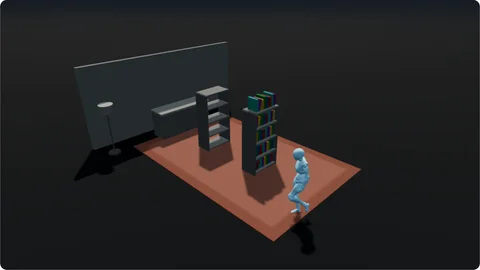
0–2 s 1. Wide view
Show shelves, character and destination together.
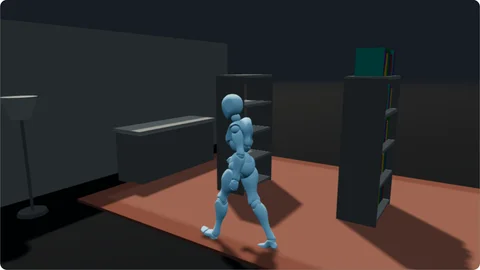
2–6 s 2. Following view
Observe the detour and changing occlusion.
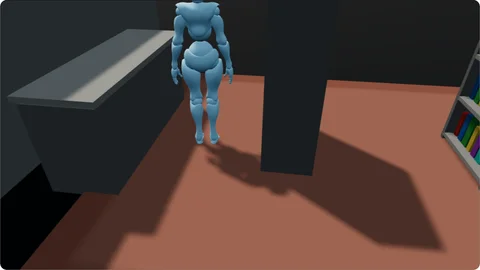
6–9 s 3. Aisle view
Inspect the turn and passage.
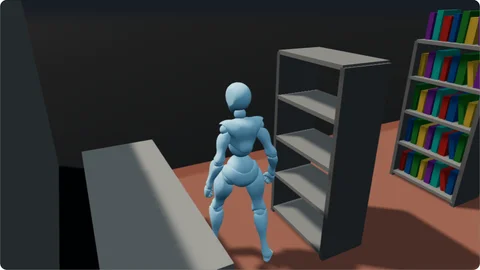
9–12 s 4. Counter view
Confirm the arrival and stop.
Try it in your own scene
Move a shelf, inspect the old route, then edit path points and duration and compare the aisle view.
About this example
Will moving an obstacle recalculate the path? No. The author adjusts it.